
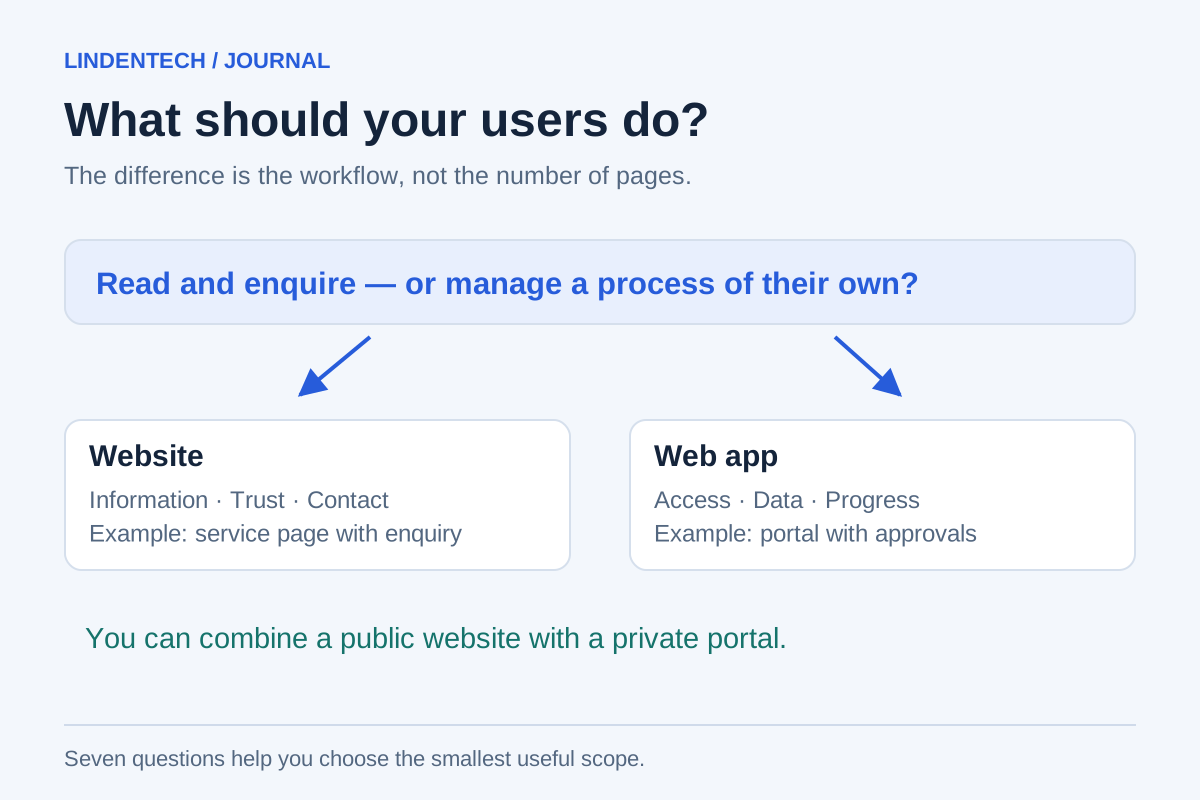
A website helps people understand your offer and get in touch. A web app helps them complete a task in their browser. Many projects need both: publicly visible services and a protected area for ongoing work.
This is a practical distinction for planning, not a rigid technical boundary. A website can contain a calculator, a booking form or a chat. A web app can have public content. The number of animations says little about which solution you need.
What matters is the work your users need to complete and the responsibility for their data. These seven questions help define the project before you request the first quote.
1. Do people need information or a completed workflow?
“Compare services and request a conversation” initially points towards a website. “Submit a document, answer follow-up questions and track approval” describes a workflow.
Write a sentence from the user's perspective: “As a customer, I want to … so that …”. If it only amounts to “learn more about us”, you do not need a large application architecture. If several states and participants follow, more detailed process planning is worthwhile. The task creates the distinction, not the name you want to give the product.
2. Does the system need to remember a case?
A contact form sends a message. A portal might store which documents are missing, what has already been reviewed and who performs the next step. These are different requirements.
As soon as people need to return and continue working, storage, resuming work and change history belong in the plan. Ask about interruptions too: what happens if an upload fails or someone closes the window? These apparently small situations determine whether a portal is useful in everyday work.
3. Does everyone see the same information?
Public service pages generally show the same content to everyone. In an application, a customer might see only their own orders, a staff member several cases and a manager additional reports.
A login alone does not solve this problem. Every record needs defined read and edit permissions. If different permissions are required, budget for their implementation and testing from the start. This also applies to downloads and direct links, not just visible menu items.
4. Does anything need to stay synchronised with other systems?
A link to an existing booking system may be enough. But if appointments, customer details or processing statuses need to match across several applications, integration becomes a separate part of the project.
Make a short list: which system is authoritative for each piece of information? Who can trigger changes? What happens during an outage? “We will connect it later” is risky if that very connection is supposed to deliver the promised benefit.
5. Is there a suitable standard product?
If booking software, a shop or a ticketing system already meets your needs well, a custom application is not automatically the better investment. Test standard software against your workflow, including its exceptions. An attractive feature list is not enough.
A custom web app becomes more interesting when your process differs substantially, several systems need to be brought together or usability makes an important difference. Even then, the best solution may combine your own interface with existing services.
6. Does the offer need to be found through search engines?
For public services and expert articles, discoverability is a goal in its own right. Protected customer records should not appear in search results. Separate these areas in their content, navigation and access rules.
A web app is not inherently bad for SEO. Google can process JavaScript, but still recommends server-rendered or prerendered content; not every bot executes JavaScript. Public pages should therefore be accessible without signing in and provide clear URLs and actual text content. Source: Google on JavaScript and search.
7. Who will operate the solution after launch?
An application handling ongoing customer cases needs people responsible for access, errors, backups and changes. An editorial website needs maintenance too, but often involves a different operational scope.
Appoint someone on your side who can make decisions and assess problems. When reviewing a quote, ask not only about implementation but also maintenance, responsibilities, data export and incident handling. The monthly bill alone does not explain which services are included.
Your answers in a decision matrix
This matrix is our planning aid, not a points-based test. A single binding customer process can matter more than six simple information pages.
| Your main need | Natural starting point | What else to check |
|---|---|---|
| Explain services and attract qualified enquiries | Website | Content, contact route, loading speed, discoverability |
| Book appointments according to fixed rules | Website with a booking system | Availability, confirmation, cancellation, data flow |
| Manage documents and progress for each customer | Customer portal or suitable standard software | Permissions, uploads, status, recovery |
| Connect several internal tools in one workflow | Web app with integrations | Data ownership, interfaces, failure cases |
| Offer a digital product to many paying users | Web app | Accounts, billing, support, operations |
| Explain services publicly and manage ongoing orders | Website plus a protected application area | An understandable transition between both areas |
Three wishes that often distort the decision
“It has to feel like an app.” This might mean good usability, or installation and offline features. Clarify the actual usage situation. Progressive web apps can gain features such as installation and offline operation; their availability depends on implementation and platform. A regular web app does not have to be installed. Source: MDN on progressive web apps.
“We want to be able to extend everything later.” Plan for foreseeable connections, but do not pay in advance for every imaginable future. Record which extension is actually likely and how you will recognise the need for it.
“Our competitor has a portal.” First check which recurring question costs your own team time. Perhaps a clear status message is enough. Perhaps a shared workspace really is missing. Real cases can help you decide.
What belongs in an initial brief?
If you plan to automate work, it is also worth asking when fixed rules are enough instead of AI. Choosing a web app does not determine the automation method.
Describe the main user group, a complete task, the information required and the systems involved. Include a normal workflow and a typical exception. This lets providers propose comparable solutions rather than sell feature packages of different sizes.
For further planning, see our web applications and custom software services. If you are still unsure whether a custom application is necessary, that decision should itself be part of the first conversation.